Docker Compose
In this step, you will start the required services using the Docker Compose configuration needed to set up Appcircle's local development environment. The compose file includes the infrastructure and configuration required for the services that will run locally, along with the web applications.
Running the containers in local
cd appcircle-root/projects/appcircle-docker-compose/next
- Open Docker desktop before running following command to start docker service in your machine.
-
Open terminal and run following shell script to run all required containers
./up.zsh -
Type 1 (select cloud) when asked. (option 2 is not available). It will pull images and run the containers required to run the solution. You may also set profile to terminal session with below command.
#set profile to cloud (local is not available yet!)
export COMPOSE_PROFILES=cloud
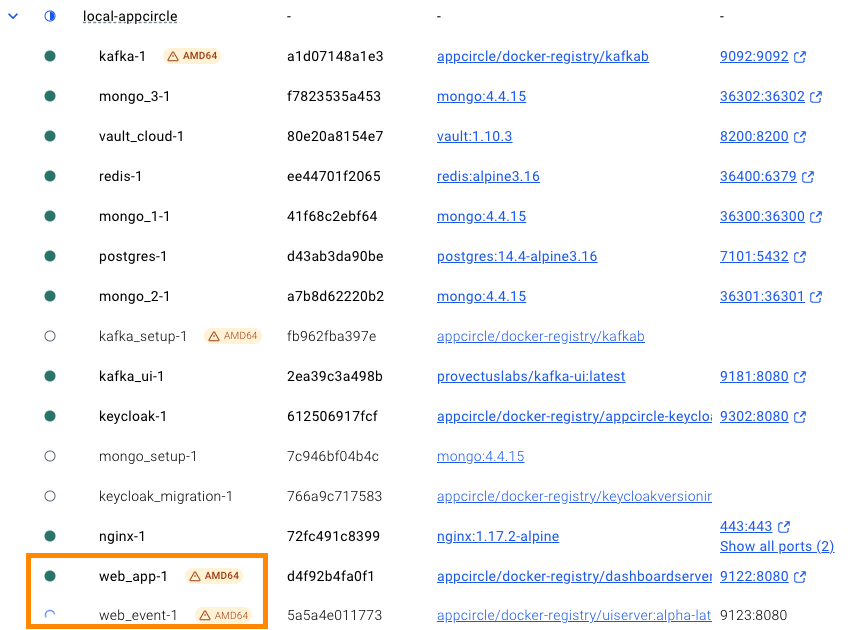
After starting the containers you should a list in docker window like below. - In this state, web_app and web_event containers are waiting local backend apis running. Containers restarting like about 5 minutes to connect local services.
Docker Services Dependency Diagram (cloud profile)
graph TD
  subgraph docker
    vault_cloud@{ label: "vault_cloud" }
    kafka_ui --> kafka
    kafka_setup --> kafka
    subgraph mongo_rs
      mongo_setup --> mongo_1
      mongo_setup --> mongo_2
      mongo_setup --> mongo_3
    end
    keycloak --> postgres@{ shape: cyl, label: "postgres" }
    keycloak_migration --> keycloak
    nginx --> keycloak_migration
    nginx --> kafka_setup
    nginx --> mongo_setup
    nginx --> redis
    web_event --> nginx
    web_event --> redis
    web_app --> nginx
    web_app .-> redis
  end
  subgraph local
    nginx --> PrivateApiGateway
    nginx --> StoreWeb
    nginx --> DistributionTesterWeb
    PrivateApiGateway --> auth@{ label: "/auth" }
  end
  classDef restarting fill:#ff0,color:#000;
  class auth,web_app,web_event restarting;