ADR-0021: Microsoft Teams as the Primary Communication Channel (Replacing Slack)
- Status: ✅ Accepted
- Date: 2026-08-10
- Owners: @osmanc (decision)
-
Context: Slack has been Appcircle's primary internal communication channel. Company-wide tooling is already centered on Microsoft 365 (Entra ID identity, Outlook, Teams meetings and their transcripts), so Slack is a second, separately licensed and separately administered surface. Team-level conversation is also poorly bounded in Slack: per-team access control means maintaining private channels by hand, and there is no consistent per-team home. Customer conversations are likewise spread across tools rather than sitting next to the internal discussion they belong to. Arc, our internal AI assistant, already speaks both Slack and Teams through pluggable adapters, so the assistant is not a blocker for a move.
This is a governance decision: one company-wide primary channel, on the identity and tenant we already administer, with access boundaries that follow team membership instead of hand-managed channel permissions. It was decided by Osman Çelik and has been applied - this ADR records the decision and the onboarding steps rather than proposing it.
Decision
Microsoft Teams becomes the primary communication channel. Slack is retired as the day-to-day channel.
Structure:
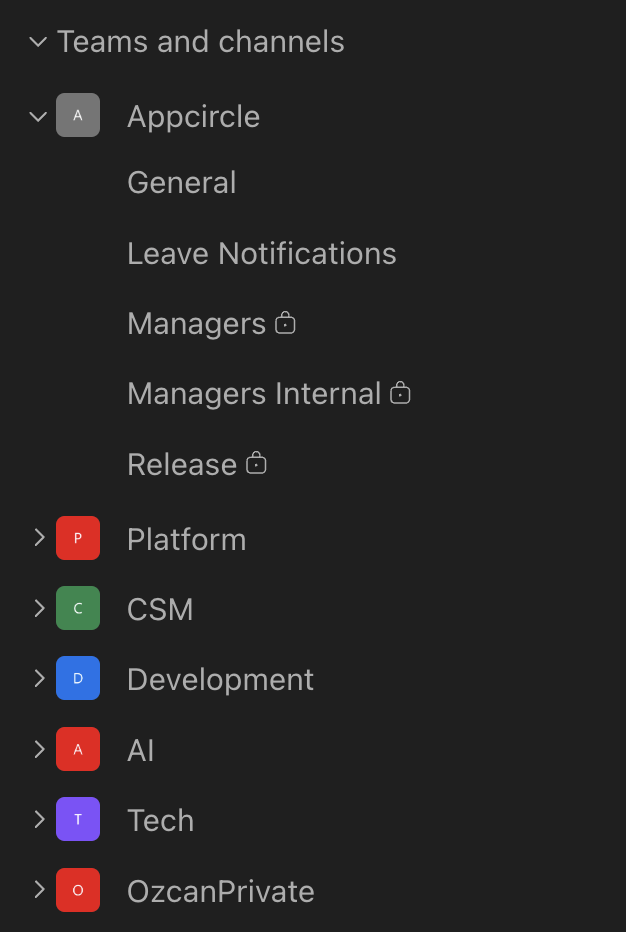
- A Teams team is created per squad (Platform, CSM, Development, AI, Tech) under the
Appcircle org, alongside the company-wide
Appcircleteam. - Each team's General channel is that team's daily conversation channel, and it is accessible to that team's members only - team membership is the access boundary, so no per-channel permission bookkeeping is needed.
- Company-wide announcement and cross-team channels stay under the
Appcircleteam. - Customer conversations are also run over Teams (shared channels / guest access), so customer-facing discussion sits next to the internal context it relates to instead of in a separate tool.
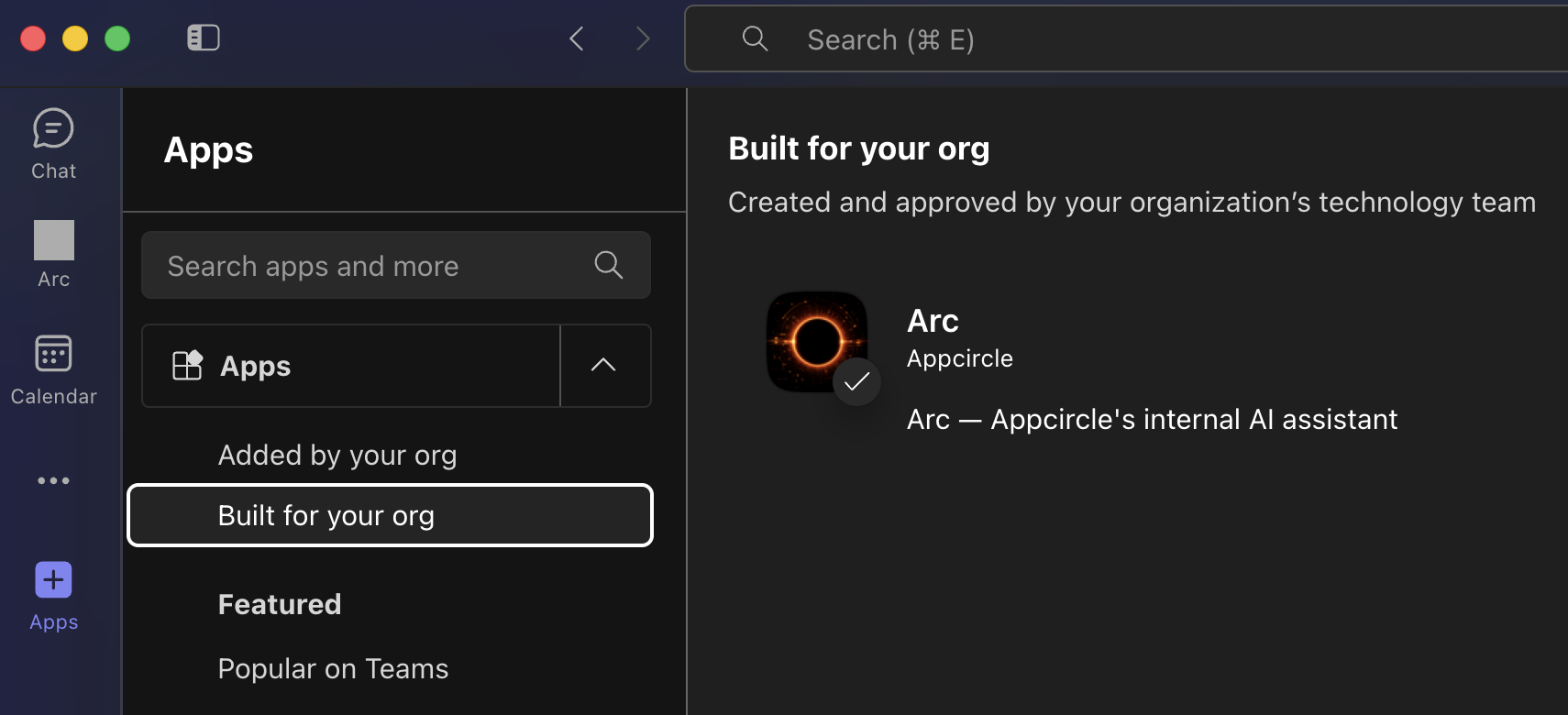
Arc is available in Teams as an org-published app and must be added by each person and to each team channel where it is used.
Adding Arc for yourself
Left panel -> Apps -> Built for your org -> Arc -> Add.
Direct messaging Arc
Teams does not support a 1:1 chat with this kind of app, so a private team containing only you and Arc replaces the Slack DM:
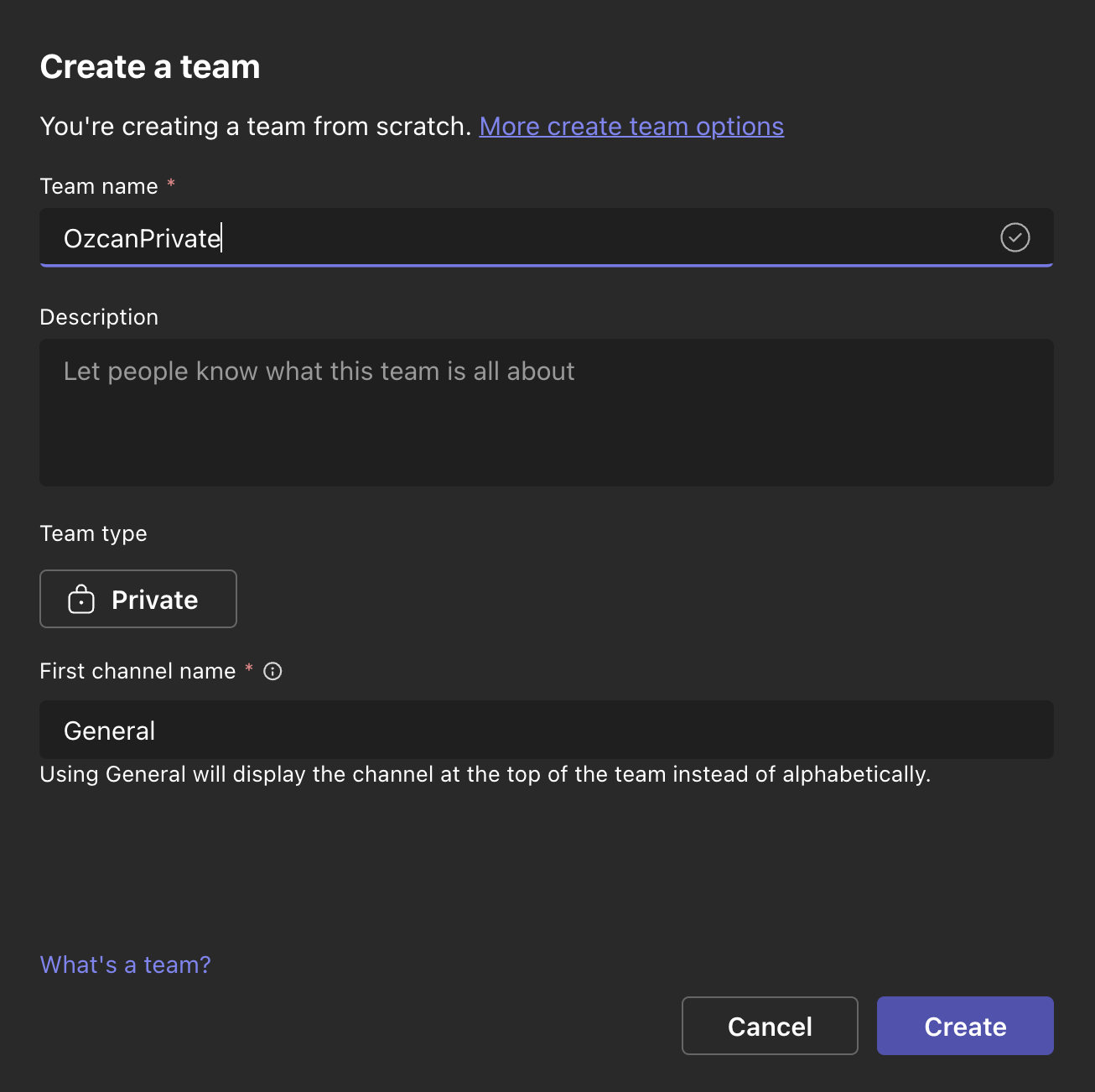
- Left panel -> Teams and channels -> Your teams and channels -> Create team -> Create.
- Set a team name (e.g.
<name>Private), set Team type to Private, keep the first channel as General, then Create. - In the new team: General -> Manage channel -> Edit -> Threads -> Save. Threads must be enabled - Arc replies in threads, and without this the channel is flat.
- General -> Get agents and bots -> Arc -> Select.
The same last step (Get agents and bots -> Arc) adds Arc to any shared team channel.
Consequences
- Positive:
- One vendor and one identity for chat, meetings and documents.
- Per-team access is enforced by team membership instead of manual channel permissions.
- Meeting transcripts and the surrounding discussion sit in the same product, which keeps Arc's meeting and records features on one source.
- Customer conversations and internal discussion live in the same tenant, under the same identity and retention controls.
- Slack licensing and administration can be retired.
- Negative:
- No native 1:1 DM with an app; every person who wants a private Arc conversation must create a private team and enable Threads on its General channel.
- Threads are off by default on a new channel and must be enabled per channel.
- Slack history and Slack-based integrations need a plan (export or re-point).
- Follow-ups / migrations:
- Announce the switch and the onboarding steps above company-wide.
- Confirm every person has added Arc and, where needed, created their private team.
- Move customer conversations to Teams shared channels / guest access.
- Re-point or retire Slack-based integrations and notification hooks.
- Decide Slack's end state (read-only archive vs. export) and a cut-off date.
- Set the Slack license cancellation date once the cut-off passes.
Links
- Related issues/PRs: -
- Supersedes / superseded by: -