0003-Identity Provider Testing – Technical Design Document
Introduction
Purpose
Creating Single Sign-On (SSO) configurations can be challenging. Users need to enter the correct values in both the Identity Provider and Appcircle. Therefore, we want to provide a way to test the SSO configuration before enabling it.
Goals and Features:
- Users can test their SSO configuration before enabling it for the organization.
Feature Specification
User flows
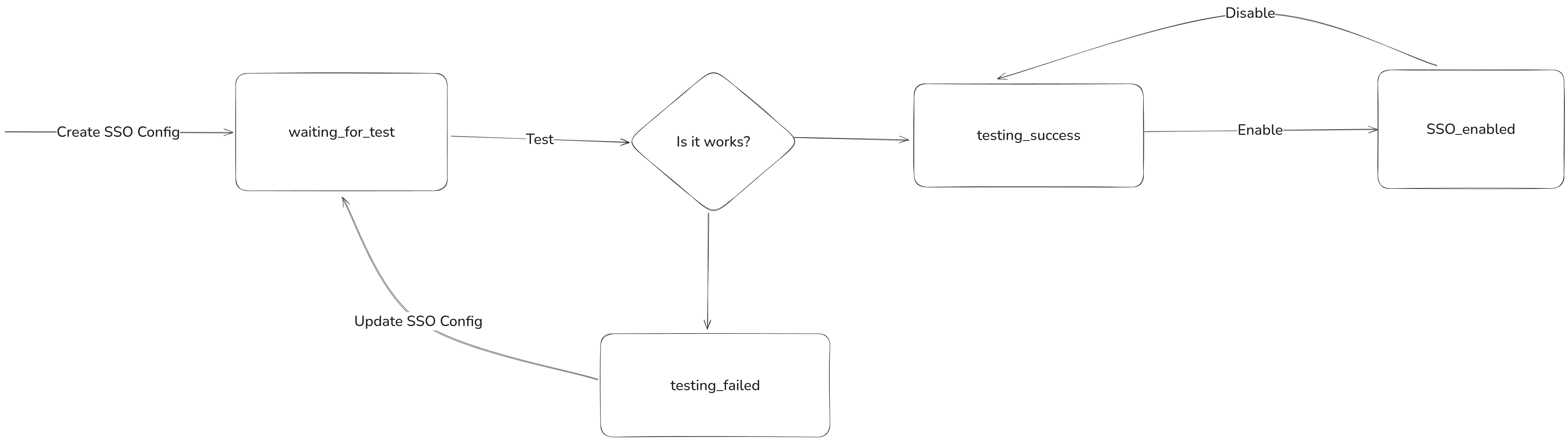
- The user creates and saves the SSO configuration.
At this stage, SSO cannot be enabled.
SSO Status:
waiting_for_test - The user clicks Test SSO, and the testing flow begins in a new tab.
- If the SSO flow completes successfully, the status becomes
testing_success, and the user can now enable SSO. - If the SSO flow fails, the status becomes
testing_failed.
Business rules
- We will show a Test SSO button for all configurations both new ones and previously created ones.
- After enabling SSO, the user can still copy and share the SSO testing URL.
http://localhost:9302/auth/realms/appcircle/protocol/openid-connect/auth?client_id=appcircle-web&redirect_uri=http%3A%2F%2Flocalhost%3A9302%2Fauth%2Frealms%2Fappcircle%2Faccount&response_type=code&code_challenge=WNBBBljwskfnVanGY1p4Ro8a5EydokB2LeNjPmVRvGc&code_challenge_method=S256&kc_idp_hint=identity-hltsso0&prompt=login&idp_testing=true
- If the user starts the SSO flow from the login page while the status is
waiting_for_test, they will be redirected to the testing flow. - Users can see the error message when testing_failed #NiceToHave #Phase2
- “Store” and “Distribute” SSO support will be added in Phase 2.
Technical Details
SSO configurations now have these statuses:
waiting_for_testtesting_successtesting_failedenableddisabled
SSO now supports two different flows:
- Testing
- Normal
The testing flow starts when:
- the request includes
idpTesting=truequery option, or - the SSO configuration has not been tested yet.
Solutions
1. Using the Same Realm
Problem:
When testing SSO within the same Keycloak realm, the user may already have an active login session. Because of this, Keycloak will not initiate a new authentication flow and instead shows the default “You are already logged in” message. This prevents us from verifying whether the SSO configuration is correct.
Solution (Verified) – Use prompt=login
To force Keycloak to start a fresh login flow, we append &prompt=login to the authorization request. This instructs Keycloak to ignore any existing browser session and require the user to authenticate again.
Why this works:
-
It bypasses automatic SSO session reuse.
-
It ensures the IdP redirection and SSO mapping logic run exactly as they would during a first-time login.
-
It allows Appcircle to validate that the SSO configuration is correct without needing the user to manually clear browser sessions.
This method is lightweight, requires no backend changes, and is compatible with all OIDC identity providers.
2. Using a Different Realm (Rejected Approach)
Problem:
If the SSO configuration uses a different realm (e.g., testing SSO between two Keycloak realms), the redirect URI changes because each realm has its own issuer and callback configuration. A mismatch will cause failed redirects or invalid redirect_uri errors.
Solution – Handle Redirect URI at the API Gateway Layer
Since the redirect URI differs from the standard Appcircle login callback, the API Gateway should dynamically handle and forward the SSO redirect for the testing flow.
Reason for Rejection We decided not to implement this route because it introduces unnecessary complexity for a feature that is meant to be lightweight and easy to maintain. Handling dynamic redirect URIs at the API Gateway adds new moving parts and increases risk without providing clear value at this stage.
Other Products
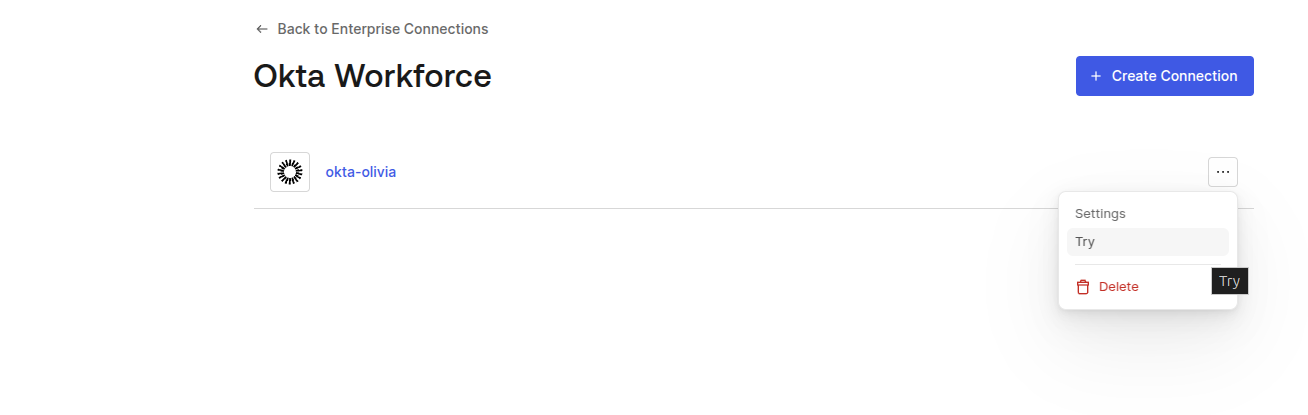
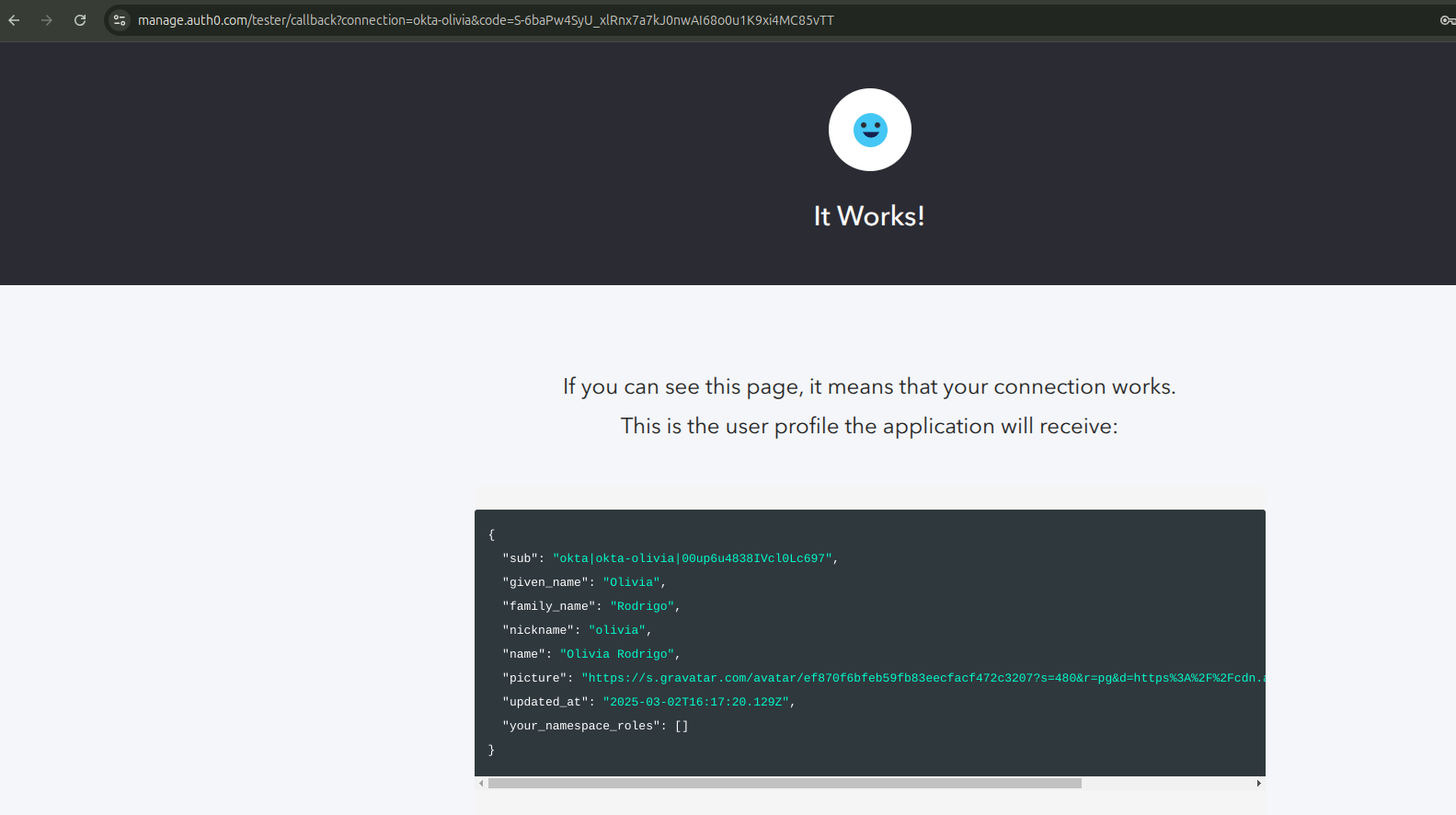
Error Case
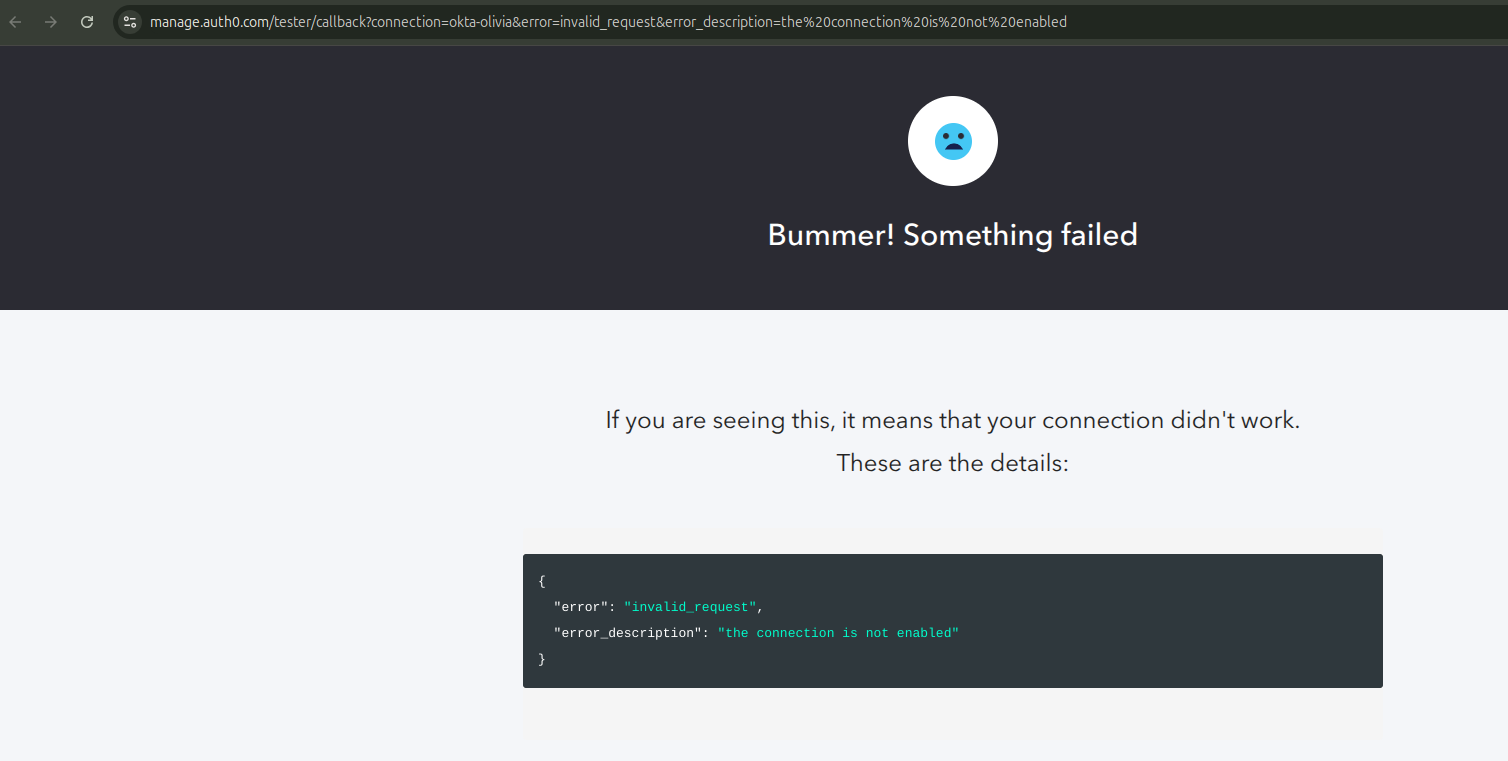
Success Case